

QuickFlirt Review September 2026


- Free features after uploading a profile photo
- Eligible members get premium free after 3 months
QuickFlirt in 10 seconds
- Dating site for singles made exclusively for flirting and quick, casual dates
- Free features are given to members who upload a profile photo
- Satisfaction Policy gives premium subscription to eligible members for free after three months without success on the site
- Some members suspiciously send messages to newly-created, almost empty profiles
- Straight male singles dominate the site but those who seek to date the same-sex may join. See the membership structure here
- All photos are moderated by site admins for added security
- Extensive search filters such as gender, age, location, hobbies, personality and appearance available for free
- Short-term trial subscription available for those who want to try the site first
- Price is neither too high nor too low but in average range compared to counterpart sites

“With its quick sign up process, easy browsing features, and intuitive design, flirting is ideally quick and easy in QuickFlirt. Props to their 3-day trial and you get to try QuickFlirt to the fullest before deciding to subscribe longer. Sign up to QuickFlirt now!”



Who is QuickFlirt for — and not for?
- Singles who are looking to flirt and have fun on casual dates
- Those who are ready to have no-strings-attached types of relationships with other singles
- Those who want to mingle and match with other singles nearby
- Singles who are looking for serious and long-term relationships
- Those who are looking for affairs and other extra-marital adventures
- Singles who want to settle down and find serious partners
QuickFlirt pros & cons
- Trial subscription packages available for testing out the site
- New members receive up to 30% discount if they upgrade within the first few months of their membership
- Most communication features are free except unlimited chat
- Site design appears outdated compared to others
- No mobile app available at the moment
- Some members, mostly females, are suspiciously being flirty to newly-created profiles but are easily reported to admins
How does QuickFlirt work?
- QuickFlirt works by allowing its members to search for potential matches through its customizable filters
- The website acts as a social media platform where singles can post photos and statuses as well as follow other members
- The website also lets its members browse through hundreds of profiles in a 'Like' or 'Skip' manner
- QuickFlirt provides free 5 chats to new members
- QuickFlirt has a mobile-optimized version
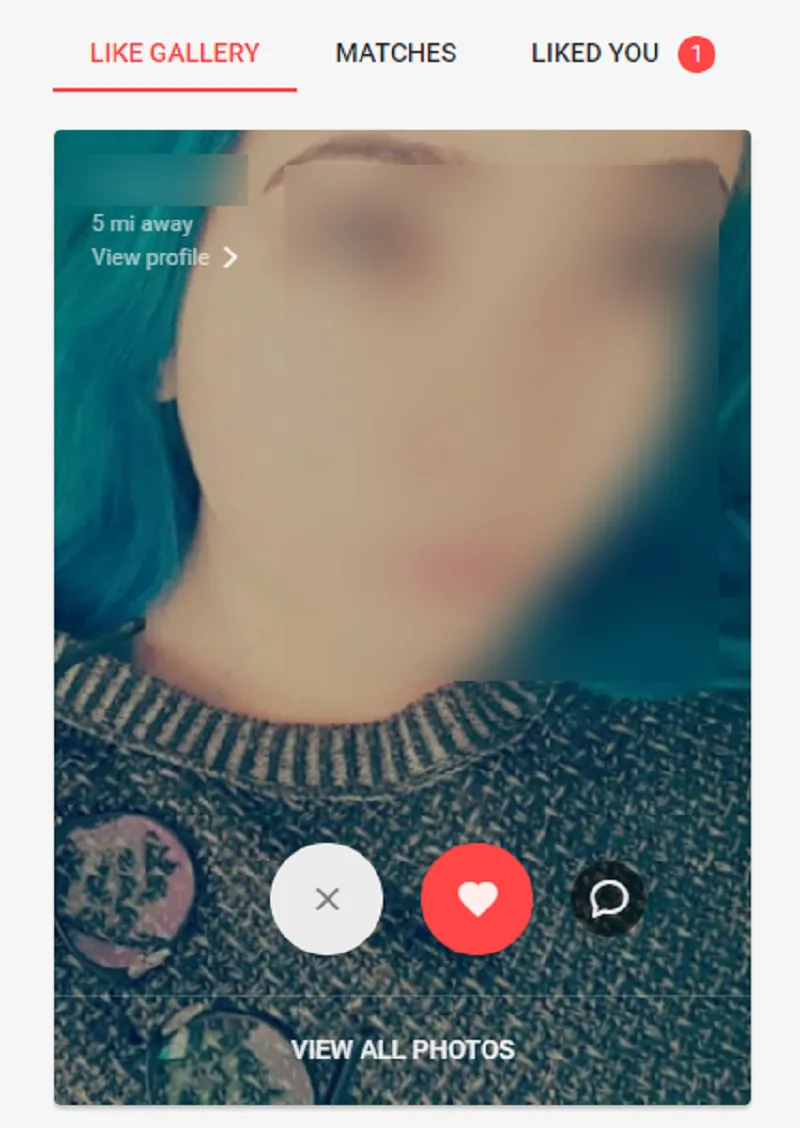
QuickFlirt works by allowing its members to use its configurable filters to find new companions. Members can also browse through hundreds of profiles by clicking the 'X' button to skip or the " button to like.
The website also functions as a social media platform, allowing members to connect and share photographs and status updates on their feeds. Messages and other forms of communication require credits.
Standard members, on the other hand, can still send likes, stickers, and virtual stuff. Messaging is a subscription function; however, new members are given five free chats to start.
What it really costs
Compared with other dating services, QuickFlirt is in the upper midfield.
| Plan | Duration | Per month | Total | Notice period |
|---|---|---|---|---|
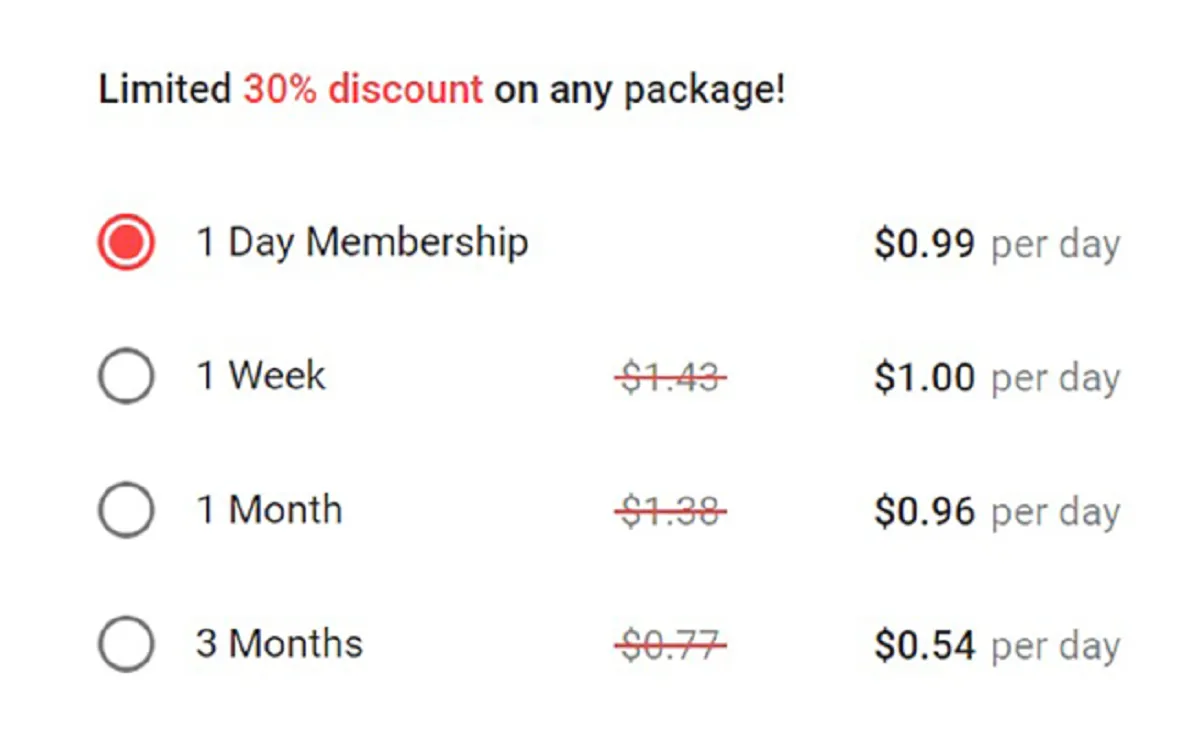
| Membership | 1 day | — | 0.99 USD | 3 days |
| Membership | 1 week | — | 7.00 USD | 3 days |
| Membership | 1 month | 28.80 USD | 28.80 USD | 3 days |
| Membership | 3 months | 32.10 USD | 96.30 USD | 3 days |
| Membership | 6 months | 8.10 USD | 48.60 USD | 3 days |
Pricing proof
Can you try QuickFlirt for free?
- You can test QuickFlirt free of charge
- You can at least read a message for free to try the service
With this link you can try QuickFlirt for free →
Free services
- Registration and profile creation
- Viewing another member's profile
- Using the extensive search bar
- Sending select members some winks
- Adding members to ‘Favourites’
Paid services
- Full access to messaging
- Viewing photos and videos in profiles
- Share photos and videos in chat
- Access to new features
- Premium support
With bogus accounts floating around, QuickFlirt strengthened its measures to make sure users get to flirt with actual humans. One of these is limiting the site's usability for standard-account holders.
QuickFlirt’s subscriptions cover 1, 3, and 6 months for males. They offer a friendlier deal for those who aren’t looking for something long-term. QuickFlirt also offers huge discounts, such as 30% less for new members looking to upgrade their subscriptions.
For women, QuickFlirt lets you choose from three different Premium Benefits: be a Chataholic, opt for Extra Security, or be a Premium Dater.
Chataholic
Subscribing to Chataholic ups your messaging game. You rank higher in searches and get five times more people to see you.
Extra Security
As the name suggests, Extra Security employs all possible methods, such as HTTPS encryption and Auto History Cleaning, to ensure your account and privacy are protected.
Premium Dater
Being a Premium Dater ensures you get the best of both worlds—you’re more visible to potential matches with a secured account.
Your QuickFlirt premium automatically renews at the end of your payment period. A word of advice if you choose to avail of the 3-day trial: do keep track of the end date. If you don't cancel your subscription at the end of your trial, QuickFlirt will automatically convert it to a monthly subscription plan.
Payment options
How to cancel your QuickFlirt subscription →
Try QuickFlirt free →Member numbers you find online are usually very inaccurate, so we estimate how many people are really on QuickFlirt from traffic data and interest in the service — updated monthly. (2026-09)
Gender proportion: 25% ♀ / 75% ♂
QuickFlirt age range and age distribution
- Top visitors are from Australia, Unites States, and the United Kingdom
- Members are looking for interesting flirtmates and casual dates
- Male users outnumber the females
- Members are active almost every day
- The majority of members are in their early 20s and 30s
Well, the biggest flirts, at least for this dating site, are men. Making up 75% of the population, male users easily outnumber women. It’s probably because men, in general, love the casual nature of flirting. Most women on dating sites are in search of something more profound—an emotional connection, for example.
In QuickFlirt, the majority of the members are aged 25 to 34 years old. Yes, this dating site advocates a quick flirt, but that doesn’t mean the door is closed to raunchier interactions or serious relationships, like what most from this age group are probably seeking.
Frequent visitors come from English-speaking countries, such as the United States, the United Kingdom, and Australia. With an astounding user count of 1.4 million men and women worldwide, one can look forward to quick and responsive flirtations while on this dating site.
Here’s a downer for the proud members of the rainbow community, though: gender isn’t as fluid in QuickFlirt. In the US, they go by the binary male and female; your orientation will be set to "straight" regardless of your preference.

Find out if QuickFlirt is the right service for you or if there are better options.
QuickFlirt in detail
Signing up at QuickFlirt ★★★★★ 4.0/5
- You must be at least 18 years old to sign up
- You must sign up to browse QuickFlirt
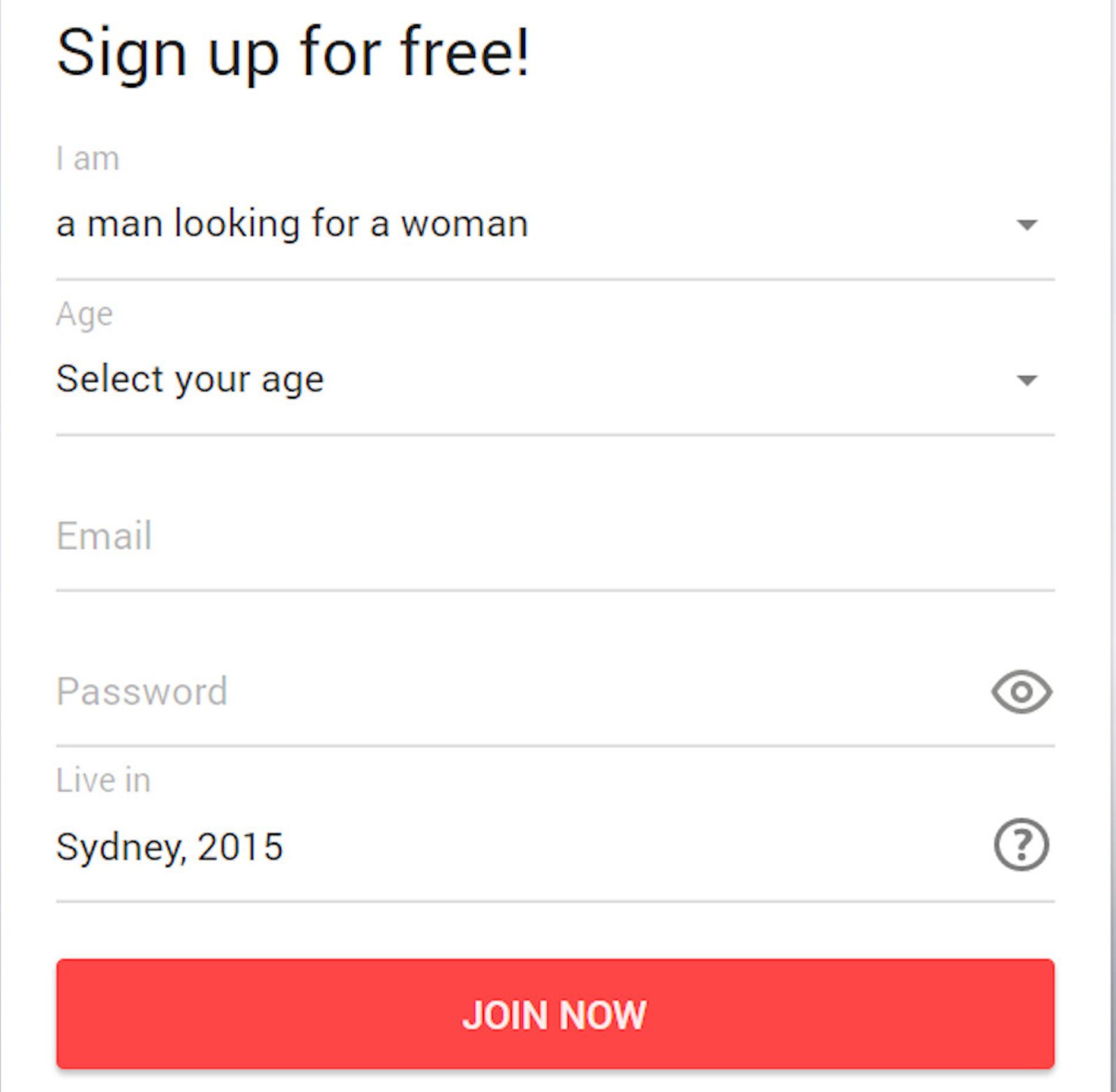
To sign up, visit the QuickFlirt website. To complete the registration, provide all required information.
Required information
- Location
- Your gender
- Partner's gender
QuickFlirt verifies new profiles via:
- Email verification (required)
QuickFlirt will send an activation code to the email address you used to sign up with them before you can start searching for potential matches.
Making contact on QuickFlirt ★★★★★ 3.0/5
- Standard accounts can use the search filters and categories
- New members are given 5 free chat credits
- Browse potential matches with the “Like Gallery”
- Send out “winks” for free
- Add interesting matches in your “Favourites” list
- Everybody can send messages for free
There are two ways to start flirting in QuickFlirt: you do the subtle I-got-my-eyes-on-you move by sending out a “wink” or you boldly message a potential match.
Sending out “Winks”
After matching the search filters to your preference, profiles will be displayed side by side. Did someone catch your eye? “Wink” by clicking the eye icon to start a wordless but obvious flirting invitation. The best part? Standard accounts can also send winks.
Messaging
Winks may be free, but nothing says “I’m interested” clearer than words. However, connecting via message will be tricky and limiting for non-paying members. Without a paid subscription, you only get to send five messages to five different users daily. Use it wisely, as on your sixth try, QuickFlirt will redirect you to the Payment page and prompt you to upgrade your membership.
Once you do pay though, you get full access to the messaging features. You can flirt by sending photos, videos, and even voice messages.
If you’d like to take a tour of the possible matches you’ll have while on QuickFlirt, you can do so. Even with a standard account, you can use the search bar and its filters. A directory of all members (most likely arranged according to proximity) is laid out neatly for you. You also get to see who’s new, and you can even see who's online for quicker responses.
Profile quality ★★★★★ 3.5/5
- Photos and videos are regulated by QuickFlirt
- Reports say that there are numerous fake accounts
- Profile details can be changed anytime
- There are fake profiles on the site
- Easy to supply profile information
- Profile pictures are visible to everybody for free
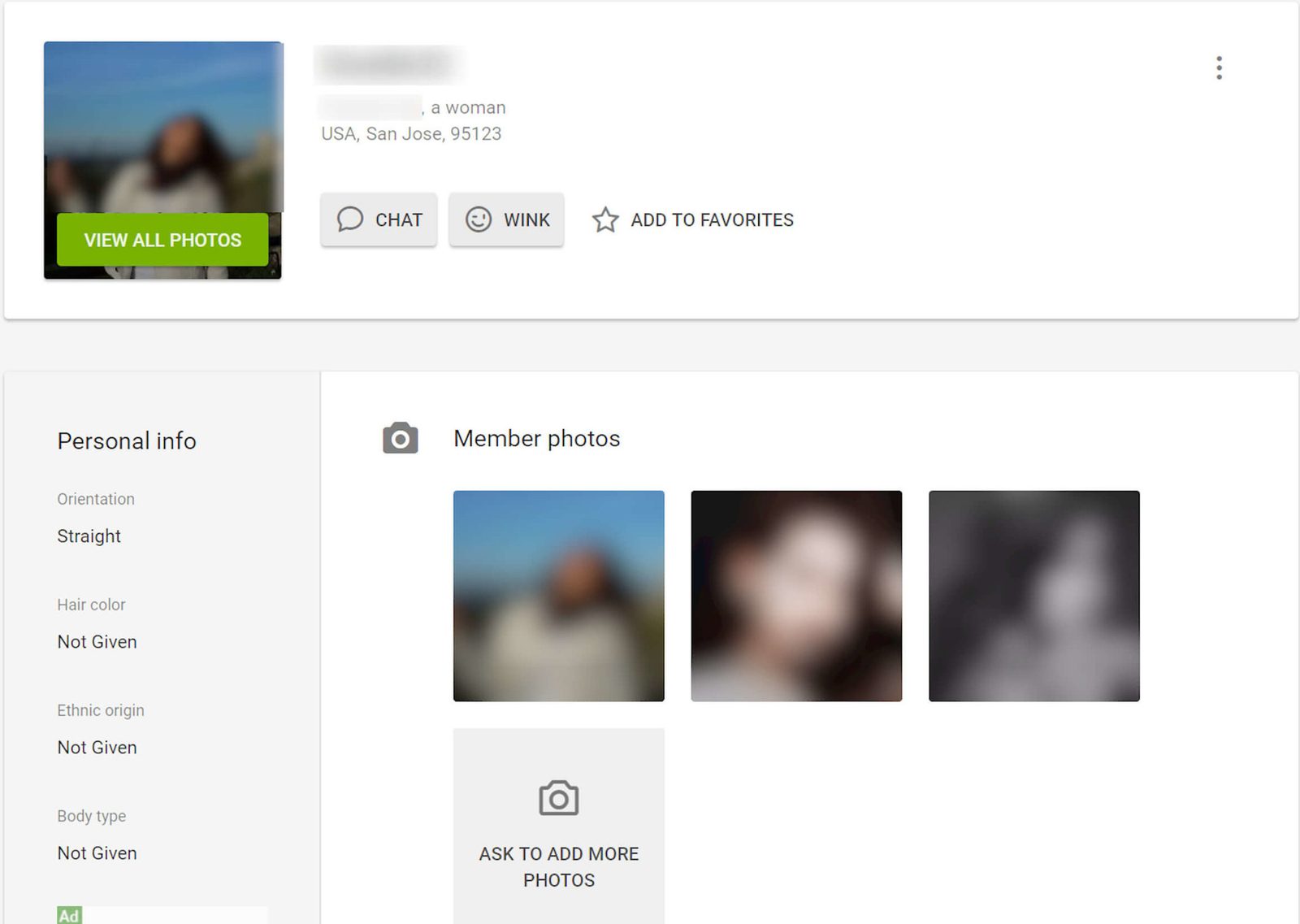
What is probably good about this dating site is that it doesn’t compel you to complete your profile upon registration. If you’d rather peek at the possible matches first, just make sure to upload a primary photo and then opt to review your profile for later. The photo is a must; even for standard accounts, you can’t wink or add someone to your Favorites list without a photo.
If you choose to edit your profile first, QuickFlirt will need the following details.
Screen Name and Age
Dating sites protect your privacy through the use of screen names, and QuickFlirt is no exception. At any point, QuickFlirt lets you review and edit your username and age.
Photos and Videos
Upload as many photos as you want to make your dating profile stand out. For the videos, you can upload up to six videos with a length of 6 to 120 seconds each.
Personal Info
Even if they can’t browse your photo, give your matches an idea of how you look. Choose your hair color, ethnic origin, and body type from preset answers in this section.
Status
Let your potential match know what’s on your mind with a 140-character status. If lightning strikes and you get a funnier bio, you can always edit this part.
Looking For
For accurate outputs, edit the preferred age range and proximity of your ideal match. This dating site will review your wishlist to let you flirt with the man or woman of your dreams.
Additional Info
Any potential dating partner will review your profile to see if you have anything in common. Provide answers to questions such as your eye color, the number of piercings you have, and your drinking habits.
Of course, you’d like to browse photos and videos before messaging a person. Although one can see other profiles using a standard account, image-wise, all you can see is the thumbnail of their primary photo. Thankfully, it will be big enough that you can make out their facial features and body type (if said photo is not a close-up). But if you’d like to see more, you will need to upgrade and pay.
Moving on to the actual profiles, the lack of individuality removes the fun and life out of your profile. Sure it may be convenient. But placing the awesome being that is you in generic categories may be frustrating, and limiting your status to 140-characters may be challenging.
Still, remember the wise adage that goes, “Do not judge a potential match by his or her profile alone.” The simplicity behind the act of putting it together reserves your time and energy for the main event: the actual flirting.
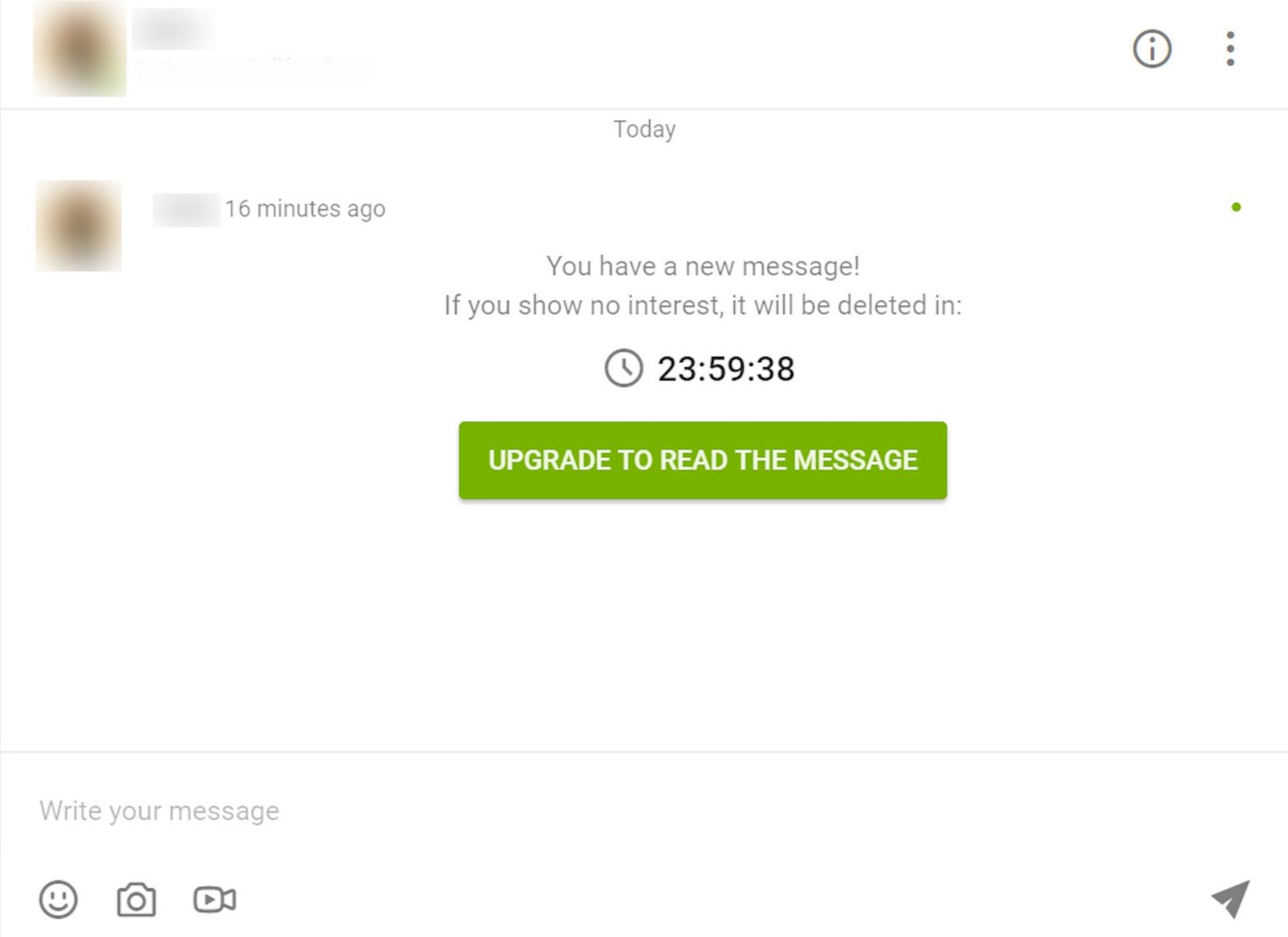
We also had issues with fake profiles. Minutes after creating an account, we received six direct messages and notifications claiming three women browsed our profile. This might sound like good news, but that wasn't the case.
It was sketchy, especially when the profile in question was without a photo, video, information, and any means to verify that it was made by humans and not bots. As rational humans on a dating site, we checked the messages only to find out that full access to the chatbox is a premium. This may be clickbait so members upgrade.
On the bright side, it was nice to note that QuickFlirt regulates and reviews photos and videos by imposing what can’t be posted on the dating site. Photos featuring rude gestures, a group, an inanimate object, and personal details (IDs for example) are not allowed.
QuickFlirt also rejects uploading copyrighted pictures or images of celebrities. With these regulations, handlers of bogus accounts will have limited photo options, making their profile bare and even more suspicious.
The QuickFlirt app
- QuickFlirt has no available app
- Users can still access its mobile-optimized version
- The mobile site has the same features as the desktop version
- The mobile version is easy to use
- The mobile version can be accessed from any mobile browser
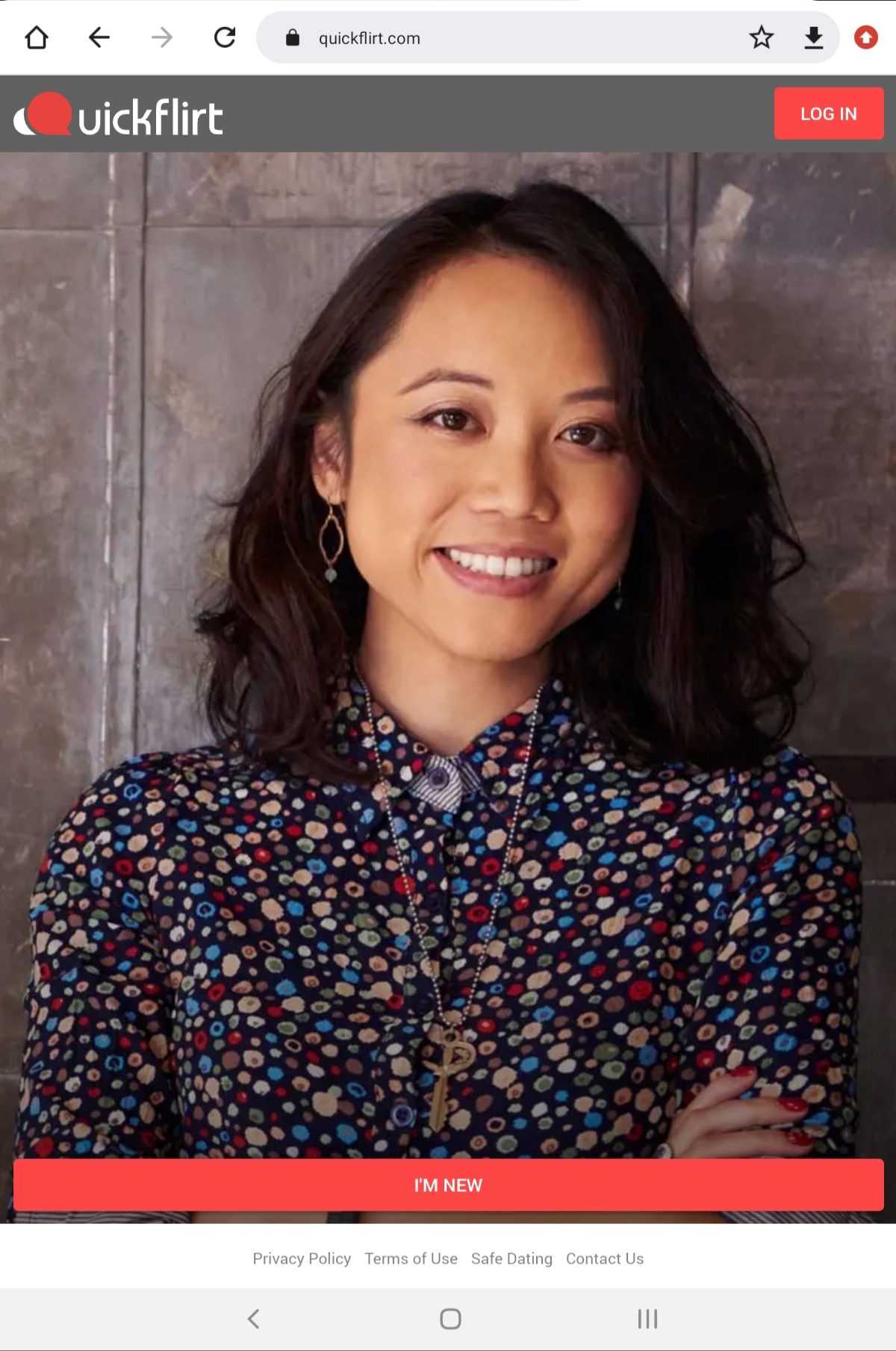
QuickFlirt has no mobile applications at the moment, but users can still access its mobile-optimized version for free. The mobile version has the same features and is intuitively easy to use. The mobile site works on any mobile browser and is compatible with any device.
For a dating site with over a million users, QuickFlirt does not support a mobile app. Sure, you can access the dating site if you use your mobile browser, but this kind of goes against what the platform promotes: quick flirting.
Our field test ★★★★★ 2.5/5
"Signing up was so easy, but moving around QuickFlirt on a free membership was not! I obviously couldn’t connect with just a message, so I decided to take the plunge and avail the trial. It took time to get replies from actual women—before I knew it, the trial was up. On a whim, I decided to give the one-month plan a try. It requires patience and luck, but I did have some fun conversations. I have yet to meet someone, so I’ll keep flirting until then." - Charles, 26
Design & usability
Design and Usability
No muss, no fuss must be QuickFlirt’s motto. Design-wise, this dating site, and its mobile version feature a simple and intuitive layout.
Minimalist grey is the predominant colour used for the dating site’s background. An even darker shade separates the main menu, but before it gets too grey, QuickFlirt added some colours. Notifications are in a rose-red hue and prompts (upgrades and discounts) are in green.
Functions related to browsing are placed in the upper left corner of the dating site. The chat bubble, notifications, and a drop-down menu where you can review your profile and settings are placed at the upper rightmost side. Placements are familiar and neat; the search bar and its filters are at the top while profiles are displayed similar to a catalog. The chatbox is in a simple, no-brainer layout.
Special features
QuickFlirt has several features for an enjoyable flirting experience. Standard users get limited access, but premium members will not only enjoy all these; they get first dibs on upcoming features, as well.
Video Uploads +
Aside from uploading photos to attract a potential match, QuickFlirt included a video uploads option. You can add as many as six videos of 6 to 120 seconds in length each. Whether it is a boomerang or a short clip of your day, this option allows you to lure in a bigger crowd as your profile gets more colourful and more you.
Satisfaction Guarantee +
Picture this: you availed the 3-month paid subscription, but failed to meet up with anyone within that time frame. To make sure you get the best bang for your buck, QuickFlirt offers a Satisfaction Guarantee where you get a 3-day free trial on any of QuickFlirt’s sister sites.
Like Gallery +
In this feature, a photo of a member will pop up and you get to choose whether you like him or her (heart) or you’re going to pass (x). Below this feature, you can view the members you liked, who liked you, and the matches you’ve made.
Safe Mode +
In a move to ensure the member’s security and privacy, QuickFlirt introduced a Safe Mode option. In this feature, you can opt to let anyone message you by setting the mode to “Off.” You can protect yourself from accounts marked suspicious when you choose the “Basic” mode. Lastly, you can prioritise your security in “Full” mode. This feature prunes your options by only allowing verified members to contact you.
Promote My Account +
QuickFlirt helps you boost your popularity when you opt to promote your account. Even when you’re offline, QuickFlirt will send messages and winks to potential dating matches. They’ll also add these matches to your “favourites” list so you contact them easily once you're online.
Flirtcasts +
Not quite confident about your pickup lines? QuickFlirt lets you choose from preset messages. You can send these to multiple people who fit your search parameters at once. After all, why waste a good pickup line, right?
Add More Info +
Want to know more about a member? Click the “Add more info’’ button found in a potential match’s profile to request for more details.
Cancelling your QuickFlirt subscription
How you can cancel
- Via your profile settings on QuickFlirt
Contact details
| Company | Together Networks Holdings Limited |
|---|---|
| Address | P.O. Box 146, Trident Chambers, Road Town Tortola, British Virgin Islands |
| support@quickflirt.com | |
| Phone | 1800-691-5793 |
Do subscriptions auto-renew?
Subscriptions renew automatically — cancel at least 3 days before your current term ends.
Money-back guarantee
- QuickFlirt refunds part of your money (partial refund)
- You have 14 days to cancel and get your money back
If you are a resident within the UK, you can cancel the agreement within 14 days after the confirmation of your subscription and you will receive a pro-rated refund based on the usage you have made.
QuickFlirt FAQ
Who owns QuickFlirt?
QuickFlirt is owned by Together Networks Holding Ltd. based in the British Virgin Islands.
Is QuickFlirt a legitimate dating site?
Yes, QuickFlirt is a legitimate dating site that has been around since 2007.
Can I use QuickFlirt for free?
Yes. QuickFlirt's registration is free and new members get five free chat credits.
Can I send messages to QuickFlirt members for free?
You can only send five free messages to five different members a day. This means, your sixth message, whether it be to a different user or a reply, will no longer be free.
How do I cancel repeat billing?
To cancel your subscription and repeat billing, head over to QuickFlirt's desktop version. Press your avatar located at the upper right corner of the page. On the drop-down menu, select ‘My Settings’ and press the ‘Billing History.’ Press the ‘Deactivate Subscription’ button and follow further instructions.
How do I request a refund?
To request a refund, email the following details to QuickFlirt's Customer Service:
1) Your name;
2) Date/sum of transaction;
3) First six and last four digits of the card that was charged;
4) Name of the website;
5) Registered email address;
6) Reason for your refund request;
You may also call their toll-free number, 1800-691-5793.
How do I change my password?
Sign to your QuickFlirt account and press your avatar located at the upper right corner of the page. From the drop-down menu, choose "My Settings." Click the "Change Your Password" field; enter your old password and your new one then press the "Save" button.
How do I remove my account?
Removing your QuickFlirt account is an irreversible action. Your profile, messages, and favourites list will permanently be deleted. To delete, your account log in to desktop version. Press your avatar and click "My Settings." Scroll down to the bottommost part and click "Remove Account." Follow further instructions to completely delete your account.
How do I opt out from notifications?
Press your avatar, then proceed to click “My Settings” from the drop-down menu. Scroll down to the “Notifications” section. Uncheck notifications you’d rather opt-out from; QuickFlirt automatically saves your choices.
Why was my photo rejected?
QuickFlirt regulates photo uploads to make sure that profiles are genuine. If your photo was rejected, you might have violated the guidelines and will be requested to upload another photo.
Why was my video upload rejected?
Like your photos, QuickFlirt will also regulate your video uploads. Aside from making sure your videos pass their regulations, keep in mind that you can only upload 6 to 120-seconders.
Why are they asking me to verify my account?
For added security, members can report suspicious profiles. You may have been reported by a member, thus QuickFlirt's request to verify your account.
How do I set my account to "Full" in the Safe Mode?
How do I set my account to "Full" in the Safe Mode?
How do I report a suspicious or fake account?
If you suspect that a QuickFlirt profile is fake or that of a scammer’s, click the three vertical dots located at the upper right of the profile. Click on "Report" and follow further instructions.
Can I block another member?
Yes, QuickFlirt allows you to block a member. Click the three vertical dots on the member’s profile and press "Block."
You did not find your question? Ask us!
Thank you for your question. We will answer it as soon as possible.